
Stop scrolling for a second! Because Instagram Threads is here, and it’s about to change everything you thought you knew about social media.
Imagine a world where your closest friends are just one tap away, where sharing your real moments happens instantly, and where conversations flow faster and more naturally than ever before. This isn’t just another app; it’s the future of how we connect, chat, and share in 2025.
Ready to discover the app everyone’s buzzing about? Let’s dive into the ultimate guide and unlock your new favorite way to stay connected.

How Does Instagram Threads Work?
Instagram Threads is a separate private sharing app created by Meta to work alongside Instagram. It first started as a way to stay connected with your “close friends,” but now it has grown into a powerful app where you can share short updates, photos, and videos quickly with people you care about.
Unlike regular Instagram, which is more about sharing polished photos and videos with lots of followers, the Threads app is about real-time, casual sharing. It’s like a mix between Instagram and Twitter; you can post quick text updates, share pictures or short videos, and chat with friends through Instagram messaging.
The app links directly to your Instagram account, so you don’t have to create a new profile from scratch.
Main Instagram Threads Features
- Focus on Close Friends: You can share posts instantly with your selected group from your close friend list on Instagram, making your sharing more personal and meaningful.
- Auto and Manual Status Updates: You can tell your friends what you’re doing by setting an Instagram Threads status like “At the coffee shop” or “Working,” either manually or through auto status updates on Instagram.
- Messaging and Posting Together: Threads lets you easily switch between sending private messages and posting public updates to your followers, blending Instagram Threads vs Instagram Direct features smoothly.
- Discover and Engage with Real Content: The app’s algorithm helps you see authentic posts from your close friends and the broader Threads community, focusing on real conversations rather than just popularity.
- Easy Sharing Between Threads and Instagram: You can quickly share Threads posts to Instagram Stories or your feed, giving your content more visibility.
- Simple and Fast Design: The app is designed to be fast and easy to use, almost like an Instagram camera app optimized for quick updates and conversations on the go.
Instagram Threads fills a unique space by combining Instagram’s visual storytelling with Twitter’s fast conversations. This makes it great for people, creators, and brands who want closer connections without the noise of big feeds.
How can I set up a Threads account?
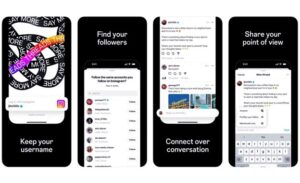
If you already have an Instagram account, setting up your Instagram Threads profile is super easy. The app uses your existing Instagram information, so you don’t have to start from zero. Quick steps to get started on Threads are:
- Download the Threads App: Find the Instagram Threads download in your phone’s app store (Apple App Store or Google Play) and install it.
- Log In with Your Instagram Details: Open the app and sign in using your Instagram username and password. This links your Threads account to your Instagram profile.
- Set Up Your Profile: Your Threads profile will copy your Instagram bio and profile picture. You can change your display name or bio if you want to.
- Pick Your Close Friends or Groups: Choose friends from your Instagram “Close Friends” list or create new groups to share with the right people.
- Allow Permissions and Set Auto-Status (Optional): Give Threads permission to access location, camera, and notifications to unlock more features. This taps into Instagram Threads’ privacy settings to keep your data safe while enhancing your experience.
- Start Posting and Messaging: Share short updates, photos, and videos. Chat with friends and engage with others’ posts using the easy Instagram private messaging system inside Threads.
With these easy steps, you’re all set to start using Instagram Threads and enjoy everything it offers.
Tips to Boost Engagement & Reach on Instagram Threads
Using Instagram Threads well means connecting with people in a way that feels real and immediate. Because Threads is different from Instagram or Twitter, your approach should be different, too. Here are some practical tips for how to get more engagement on Threads:
- Be Real, Not Perfect: People on Threads love honest and natural content. Share your real thoughts, behind-the-scenes moments, and updates without over-editing.
- Reply Quickly and Stay Active: When people comment or message you, respond quickly. Threads is all about quick conversations, and active engagement helps build strong relationships.
- Use the Close Friends Feature for Special Content: Give your closest friends sneak peeks, news, or offers just for them. This makes them feel special and keeps them loyal.
- Use Hashtags and Join Trending Topics: Adding hashtags helps more people find your posts. Jump into trending conversations to get seen by a wider audience.
- Post Regularly, But Don’t Overwhelm: It’s good to post often, but don’t flood your followers with too many updates. Focus on quality content that sparks conversations.
- Share Content Between Instagram and Threads: Post your Threads updates on Instagram Stories or feed, and invite your Instagram followers to join you on Threads for more personal sharing.
- Mix Text, Photos, Videos, and GIFs: Using different kinds of media keeps your feed interesting and shows your personality better.
By following these tips, you can build real connections and grow a loyal community on Instagram Threads.
Do not forget this tip: Even if you are interested in popular accounts like celebrities or influencers, you can save their content by litedownloader downloading Instagram profile.

Conclusion
In 2025, Instagram Threads will be more than just another social app in the lineup of Meta social apps. It’s a new way to have honest, fast, and close conversations online. By combining Instagram’s beautiful visuals with the quick chat style of Twitter, Threads offers a fresh, personal way to share your life and ideas.
Starting on Threads is simple, especially if you already use Instagram. To succeed, be authentic, stay active, and use the app’s features to build strong relationships.
Let’s hear from you! Have you tried this app? What do you like most about it? How do you think Threads will change social media in the future? What challenges or chances do you see for brands using Threads? Want tips customized for growing your Threads community? Ask me!
How long can Threads posts be, and what media can be included?
Posts can be up to 500 characters. You can attach media like photos, videos (up to 5 minutes), voice recordings, polls, and GIFs.
What controls do I have over who can reply or interact with my Instagram thread?
You can choose who can reply or quote your thread: Anyone, Profiles you follow, or those you mention only. Also, you can restrict replies/quote‑posts to your followers only.
Can I use Threads without an Instagram profile/account?
Yes, in some regions, there is an option to browse Threads without connecting or creating a Threads profile. But without a profile, you cannot post, interact (reply, like, share), or get recommendations.
What are “Topics” on Instagram Threads?
Threads has introduced the ability to add up to 10 topics to your bio. These show your interests, help others find you via shared topics, and increase discoverability. When posting, you may be prompted to tag trending or related topics.
Does Threads have private messaging (DMs)? Is it encrypted?
Yes, as of mid‑2025, Threads added direct messaging. You can send one‑on‑one messages to people you follow or who follow you. However, DMs are not end‑to‑end encrypted.