
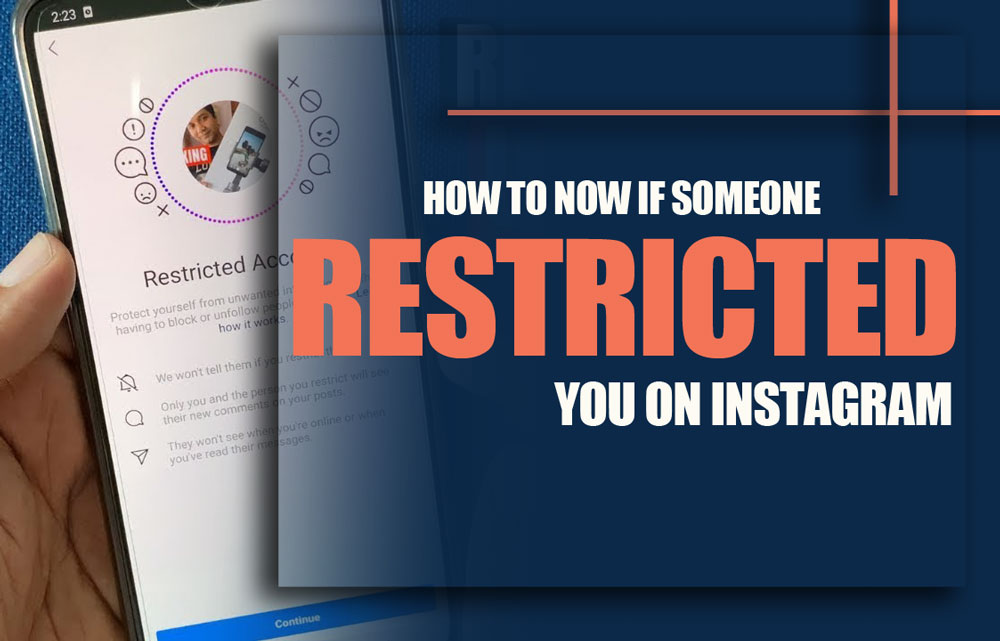
Ever encountered the situation where you’re scrolling through Instagram, everything seems normal, until it doesn’t. Your messages go unanswered, your comments sit in silence, and suddenly, you can’t see when someone was last active. The silence feels deliberate, yet not obvious. Could it be that you’ve been restricted on Instagram?
Unlike getting blocked, which feels like a door slammed in your face, Instagram’s ‘Restrict’ is more like a quiet fade into the background. Silent. Polite. But powerful. If your comments suddenly feel invisible and your interactions go unanswered, it might be time to ask yourself, “Could I be restricted?”
In this article, we’ll unravel this mystery with a deep dive into what restriction means, why it’s used, and how to spot the signs like a pro.
What Is a Restriction on Instagram?
Being restricted on Instagram means that your ability to interact with another user’s content is limited in a discreet way. Instagram introduced this feature to offer a more nuanced tool for dealing with uncomfortable or disruptive interactions. It’s part of a broader range of Instagram privacy settings that allow users to maintain control without completely severing ties.
For instance, when someone places you in Instagram restricted mode, your comments may be hidden from others, and your messages will be rerouted to their message requests. This way, the restricted person remains unaware of the changes, making it ideal for handling sensitive relationships or borderline harassment quietly.
Consider this note: before you lose access to your followers’ stories or posts, you can download them easily using our Litedownloader Instagram Downloader.
Why People Use Instagram Restriction Feature?
People use the Instagram restriction feature for many reasons, most of them rooted in maintaining emotional or professional boundaries without making the other person feel attacked. It’s especially helpful when the behaviour doesn’t quite justify a block but still disrupts your experience.
Let’s say you’re a content creator dealing with persistent, passive-aggressive comments. Blocking may escalate things, so instead, you opt to use restricted on Instagram. This way, their hidden comments on Instagram remain invisible to others unless you approve them, giving you quiet control.
Another scenario? You’re navigating a tricky friendship, and don’t want drama. Restriction helps avoid confrontation while still muting their access. It’s a softer alternative that fits perfectly between unfollowing and blocking.
Additionally, Instagram’s algorithm subtly limits how often your posts and interactions appear on the restricted person’s feed, making your presence less noticeable without any alert.
Restricting someone can help keep your peace of mind, but don’t forget your account’s safety. You can also strengthen your Privacy by updating your login details, changing your Instagram password, and also learn how hackers actually gain access to accounts and dive into the Instagram accounts that get hacked, tips and tricks.
How to Tell If You Are Restricted on Instagram?
Curious how to know if someone restricted you? Instagram doesn’t notify users when they’ve been restricted, which makes detection a bit of a guessing game.
Sometimes, lower engagement isn’t about restriction at all; it might just be about posting at the wrong time. Learn exactly when the Best Time is to post Instagram Reels to reach more followers organically.
However, there are subtle signs of being restricted on Instagram that you can pay attention to.
Comments Are Ignored or Invisible
If you comment on someone’s post and never receive engagement, there’s a chance those comments aren’t public. Try checking the same post from another account. If your comment is missing, you might be restricted.
Messages Stay Unseen
When someone restricts you, your DMs are moved to their requests folder. More importantly, Instagram DM delivery status like “seen” or “active now” won’t appear anymore. It feels like your messages are floating in a void.
Also, when you reply to a restricted person’s story, your message doesn’t reach their main inbox; instead, it’s quietly routed to their Message Requests or filtered out, leaving your reply unseen.
Can’t View Activity Status
Even if you keep your own activity status visible, once someone restricts you, Instagram quietly hides their online status and last seen from your view, cutting off your insight regardless of your settings.
Inconsistent Mentions and Tags
When trying to tag or mention someone, and Instagram doesn’t autofill their name, or they never respond, restriction may be at play.
These are all indirect clues, but when combined, they can help you decide whether you’ve been subtly distanced through this featureAL.
How to Restrict Someone on Instagram?
Now that you understand the restricted on Instagram feature, here’s how to use it yourself. If you feel overwhelmed by a specific user but don’t want to block them outright, Instagram restriction is your answer.
From a User’s Profile
- Open their profile.
- Tap the three-dot menu in the top-right.
- Tap Restrict and confirm.
From Settings
- Go to your profile > Menu > Settings & Privacy
- Tap Privacy> Restricted accounts
- Search and restrict the desired user
From DMs or Comments
- Swipe left on a comment or open the user’s chat.
- Tap Restrict from the message options or comment moderation tools.
This lets you manage someone’s interactions with your profile silently. It’s useful in cases where blocking is too aggressive, but engagement feels unwelcome. Think of it as Instagram’s version of a “soft block”, a concept that also plays into debates like Instagram shadowban vs restriction, where subtle visibility control plays a central role.
Also, if you ever find your account inaccessible or disabled without warning, maybe it is because of other problems, and read Instagram Account Disabled for No Reason for more information.
Getting Blocked Vs. Restricted on Instagram
So, what’s the real difference between blocked and restricted on Instagram? While both limit interaction, their intensity and visibility to the affected user differ greatly.
|
Feature |
Restricted |
Blocked |
|
Can you see the profile? |
Yes, if public |
No |
|
Can comment? |
Yes, but hidden |
No |
|
Can DM? |
Yes, goes to Requests |
No |
|
Activity status? |
Hidden |
Hidden |
|
Notifications? |
None |
None, but very obvious |
Restriction is meant to be discreet; blocking is definitive. To compare it in simple terms: restriction is like putting someone on mute without telling them, whereas blocking on Instagram slams the door in their face.
There’s also confusion between muted and restricted Instagram. Muting simply hides a person’s content from your feed; you’re still fully visible to each other. Restriction, on the other hand, impacts how and whether their content or interactions are visible to others.
Conclusion
While being restricted on Instagram won’t come with a notification or bold warning, the subtle shifts in interaction can give it away. Whether it’s disappearing comments, ghosted messages, or lost visibility into someone’s activity, these are the quiet clues that hint you’ve been placed at arm’s length.
Still, it’s not always personal. Many users rely on restrictions as a tool for safety, peace of mind, or simply a more curated social experience. As with many aspects of online behaviour, communication and context matter.
Let’s keep the conversation going! Have you ever restricted someone, or discovered you were restricted? Share your experience. Want a downloadable checklist for spotting restrictions? I can create one! Found this helpful? Pass it along to someone who might be inquisitive the same.
Will I be notified if someone restricts me on Instagram?
No, Instagram does not notify users when they are restricted.
Can I still message someone who restricted me?
Yes, you can send messages, but they’ll go to their message requests, and they won’t get notified.
Can I see if someone is online if they restricted me?
No, their activity status (like “Active now”) will be hidden from you.
Are my comments visible if I’m restricted?
Yes, but only to you. The person who restricted you and others won’t see your comment unless they approve it.
Can I tag someone who has restricted me?
Yes, you can tag them, but they might not receive a notification depending on their settings.