
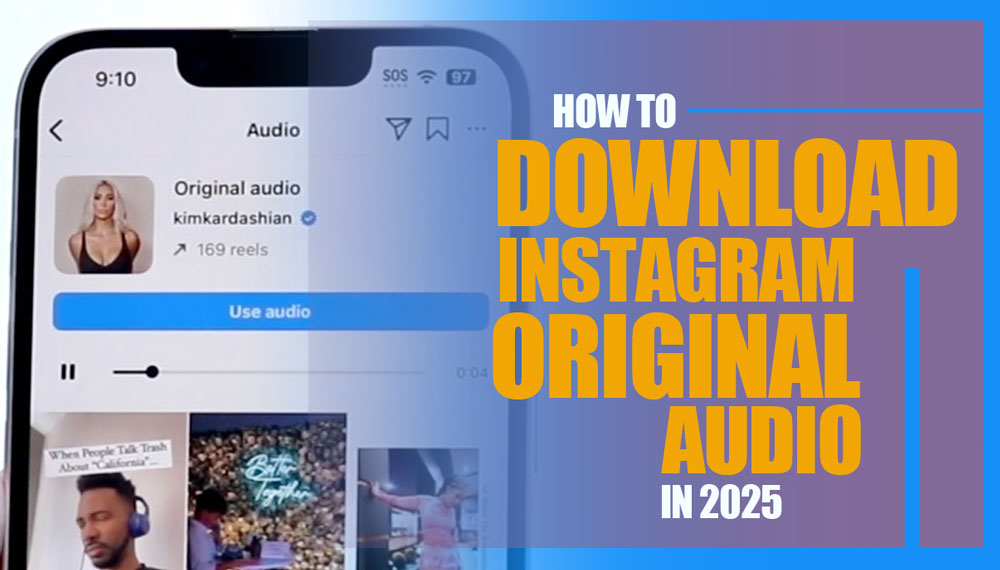
How many times have you watched a Reel, felt the audio hit you deep, but couldn’t save it? You wish you could just download Instagram original audio right then and there, and keep it forever, but Instagram gives you no direct way to do that.
The sound is unique, useful, inspiring, yet no option to save it. You tap the three dots, scroll through apps, search Google… nothing. You feel stuck, like your hands are tied, and Instagram is intentionally keeping you away from it.
Well, it’s time to break that spell. Whether you’re after music, a spoken line, ambient nature sounds, or even a memorable quote from a video… here’s the way. If you haven’t cracked it yet, that’s okay, but after this guide, no more excuses.

Top (6) Practical Ways to Download Instagram Original Audio?
Looking to save those catchy Instagram audio clips for your next Reel, Story, or just to vibe with offline? You’re in the right place! Below, you’ll find the best and most up-to-date methods to download Instagram original audio, complete with easy-to-follow steps, and a quick rundown of the pros and cons for each.
Whether you’re a creator, influencer, or just love collecting trending sounds, these hacks will make your life way easier. Plus, we’ll help you figure out when to use each method so you can pick the perfect one every time.
The note you better to learn is before you use these sounds for your own Reels, it helps to know how the Instagram Algorithm in 2025 ranks content with trending audio and understanding it can actually boost your reach.
1. Use Trusted Online Converters / Downloaders
These web tools let you paste a Reel URL and extract just the audio (usually as MP3). Suppose you saw a Reel about minimalism with a soothing piano track.
You copy its link, paste into Reelsave or audiodropper, then Instagram sound downloads online. Many remain up and updated in 2025.
- On Instagram, find the Reel whose audio you want and tap the three‑dot menu > Copy Link.
- Open your browser and visit downloader.
- Paste the Reel URL into the input box.
- Click “Download,” then choose Download Audio (MP3).
- The tool extracts the audio track from the video and gives you an MP3 file to save locally.
Consider that looking for a reliable downloader for your desire videos? Try litedownloader Instagram Downloader safe, fast, and no login required.
This is one of the simplest ways to do an Instagram reels audio download without needing third-party apps or complicated steps. Always pick tools with good reputations and active support if you’re after Instagram audio saving tools.
|
Pros |
Cons |
|
Fast, no app installation needed |
Requires internet connection |
|
Works across platforms (iOS, Android, PC) |
Doesn’t work for private Instagram accounts |
|
Usually safe if you use trusted tools |
Some tools may disappear or get blocked |
|
Simple and user-friendly |
Ads or popups on some downloader sites |

2. Rename the File Extension Trick (PC / Android)
This is a very simple hack to download Instagram Original Audio; if you already have the video file, just rename it to behave like audio. This technique helps you easily download sound from Instagram videos without any extra tools, especially useful for offline listeners.
- Download the Reel video (via app or web).
- On Android or Windows, locate that file (often .mp4 or .mov).
- Rename it, change .mp4 > .mp3 (like reel-video.mp4 > reel-audio.mp3).
- Confirm the change. Many media players will play it as audio now.
|
Pros |
Cons |
|
Ultra simple, no tools needed |
Doesn’t really convert, it just tricks your system |
|
Works on PC, Android |
May not be editable or compatible with audio tools |
3. Use the “Separate Audio” Shortcut (iPhone & iPad)
If you’ve already downloaded the full Reel video, you can extract just the audio using an iOS Shortcut. It’s one of the most seamless ways to save Instagram audio without touching any external website.
- Install or enable the “Separate Audio” shortcut in iOS Shortcuts (if not already).
- Download the Reel video (like via Instagram’s “Save video” or share > Save).
- Open the video in the Photos app.
- Tap Share > Separate Audio.
- Choose where to save the extracted audio (like Files app).
- You’ll get a pure audio file (often .m4a or .wav) you can rename or convert.
|
Pros |
Cons |
|
Doesn’t require third-party websites |
Only works on iOS / iPadOS |
|
Keeps your privacy (no external server) |
Audio format might not be MP3 and may need conversion |
4. Use Video / Audio Editing Apps to Extract Audio
You can import a downloaded Reel into editing apps and then export just the audio. For example, you have a Reel with ambient city sounds. In VlogNow, you extract that ambient track as an MP3, then use it as background for your own video. Popular Apps include: InShot, VlogNow, VN Editor, CapCut, etc.
This is perfect for creators needing an Instagram audio extractor with trimming, adjusting, or even layering capabilities to download Instagram Original Audio.
- Download the Reel video to your device.
- Open the app > create new project > import that video.
- Go to “Audio” or “Extract Audio” option.
- Select the output format (MP3).
- Export the audio-only file.
|
Pros |
Cons |
|
More control (trim, adjust) |
You need to install an app |
|
Works offline |
Some apps may add a watermark |
|
Great for content creators |
May involve a slight learning curve |
5. Use Desktop Software / Recording Tools
If you’re on a PC, you can use desktop audio recorder software or streaming recording tools. Especially useful when trying to Extract Instagram audio file from Reels that online tools can’t access, such as private or region-locked content. Examples Leawo Music Recorder, Audacity, OBS, etc.
- Install Leawo Music Recorder on PC.
- Set it to record system audio or the audio output channel.
- Play the Instagram Reel in your browser.
- Let Leawo capture the audio.
- Save the recording as MP3 or WAV.
|
Pros |
Cons |
|
You can record anything, even if converters fail |
Quality depends on recording settings |
|
Works on PC where online tools may block |
Requires configuration and software install |
6. Browser Extensions for Desktop
If you regularly use Instagram on a desktop browser, extensions can streamline the process to download Instagram Original Audio. For instance, on Chrome, you see a tiny download icon on a Reel. You click > it saves funnyquote-audio.mp3 to your Downloads folder. Some example extensions are: “Reel Downloader for Instagram,” “FastReel,” etc. It’s a lightweight way to access Instagram audio downloader apps without leaving your browser tab.
- Install a trusted extension from the browser store.
- Navigate to the Reel you want.
- The extension adds a “Download Audio” button near the video.
- Click it to get the MP3.
|
Pros |
Cons |
|
Super-fast when working |
Some extensions get blocked or broken by Instagram updates |
|
Integrated right in your browser |
Must choose reputable ones to avoid malware |

Legal, Privacy & Limitations to Download Instagram Original Audio
Before you go downloading every catchy track you hear, keep these in mind:
- Many audio tracks on Instagram are protected by copyright. Downloading without permission for redistribution, commercialization, or reposting may infringe on intellectual property laws.
- Instagram’s Terms of Service may prohibit certain downloading activities; misuse might lead to account issues.
- Avoid tools that ask for your Instagram login / password, those are often phishing attempts.
- Private account content is generally inaccessible to converters unless you have access.
- Some tools may be shut down or blocked by Instagram at any time, always choose ones with good reputation and recent activity.
To Download Instagram audio safely, always verify tools and ensure you’re not breaching any copyright or platform rules. Even if you’re just after an Instagram story audio save or planning an Instagram reels music download, the tools are in your hands now.
If Instagram ever disables your account after using third-party tools, check out our full guide on Instagram Account Disabled for No Reason to restore access quickly.
Finally
If you’ve ever dreamed of download Instagram original audio with ease, 2025 gives you more reliable paths than ever. Which method is best? That depends on your device, how often you need it, and your comfort level with tools.
Now go ahead, download that inspiring poem, that catchy beat, that voiceover track you love, all while keeping things legal, ethical, and safe.
Try one of these methods right now and share how it worked for you. Leave a comment, which method was easiest or failed for you? If you need help with a specific platform (iPhone, Android, PC), let me know, I’ll guide you step by step.
Can I download original audio from Instagram Reels for free?
Yes, you can use trusted online converters or free iOS shortcuts to download Instagram original audio without any cost, but avoid suspicious apps for security.
Is it legal to download Instagram audio from reels?
Downloading for personal use is generally fine, but redistributing or commercializing without permission may violate copyright laws and Instagram’s Terms of Service.
Can I download audio from private Instagram accounts?
No, most tools and converters can only access public content; private account audio cannot be downloaded unless you have direct access.
How to extract audio from an Instagram video on Android or PC?
Download the video first, then use apps like InShot or rename the file extension from .mp4 to .mp3 to extract audio quickly.
Are browser extensions reliable for Instagram audio download?
They can be convenient but often break due to Instagram updates; choose reputable extensions and be cautious of security risks.
It was very useful, thank you