
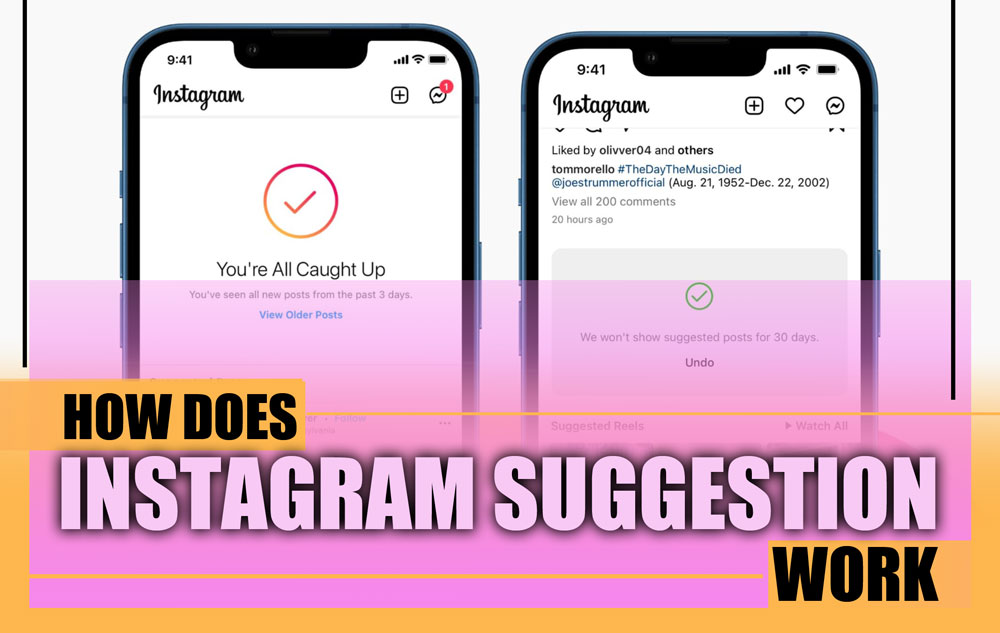
Has someone ever randomly popped up in your Instagram suggestions and made you think, “Why them?!” Is it just a coincidence, or is Instagram watching you more closely than you realize? The Instagram suggestion algorithm works like a digital mind-reader, silently analyzing your connections, interests, and even the smallest online behaviors behind the scenes.
But here’s where the real questions begin; what actually makes you appear in someone else’s suggested list? Can simply searching for someone trigger a suggestion? Is there a way to stop this from happening altogether? And if you wanted to, could you actually reset the algorithm?
If you’re curious how Instagram seems to read your mind… this is where you’ll finally get your answers.
What Is the “Instagram Suggestions” feature?
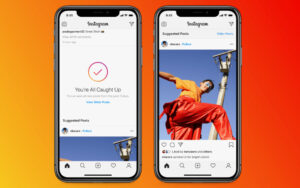
“Instagram suggestions feature” is the system that surfaces new accounts, posts, or content you haven’t yet interacted with, to keep your experience dynamic and engaging. At its core, it’s Instagram’s way of anticipating what you might like next based on your digital footprint.
Understanding how Instagram suggests accounts gives you insight into this powerful feature. This system isn’t just about helping you discover cool content; it also serves Instagram’s bigger goals, like increasing the time you spend on the app, boosting engagement across different accounts, and expanding the reach of creators and advertisers.
Under the hood, this feature is far from random. The Instagram recommendation system uses signals like mutual connections, past interactions, content similarities, and profile behavior to predict what you’d find relevant. Rather than waiting for you to search or follow, it proactively suggests, making your feed and Explore page more serendipitous and personalized.
When Instagram’s algorithm selects suggestions, it shows you new and interesting content, if you want to save that content and watch it later, you can use litedownloader Instagram Downloader.
Where Do Instagram Suggestions Show Up?
When it comes to Instagram suggestions feature 2025, location matters. Instagram strategically places these suggestions in various parts of the app to maximize discovery and engagement:
- Explore Tab: This is the prime spot where Instagram suggested posts based on your interests and interactions appear. The Instagram explore page is carefully curated to help you discover content that aligns with your preferences and previous activity.
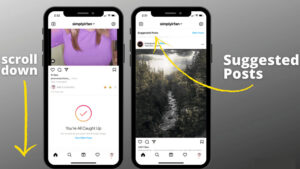
- Your Feed (Suggested Posts): After you scroll through posts from accounts you follow, Instagram inserts suggested content to keep your feed fresh and engaging.
- Reels / Video Tabs: As Instagram pushes video content, suggested Reels and creators based on your video engagement habits appear here frequently.
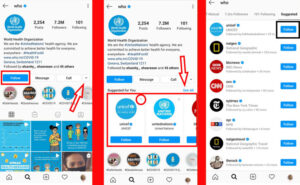
- Profile > Follow / Discover People: Under sections like “Suggested” or “Discover People,” you’ll find accounts Instagram thinks you might want to follow, often based on social overlap.
- DMs / Message Suggestions: Even your direct message interface suggests people you might want to message or follow, often pulled from your contact list or recent interactions.
By distributing suggestions across these touchpoints, Instagram ensures a seamless Instagram content discovery experience that encourages users to explore new content without leaving the app.
How Does Instagram Pick “Suggested for You”? (Key Factors)
Instagram suggestions feature isn’t magic; it’s a predictive system fueled by a complex web of data signals.
The Instagram algorithm weighs several key factors to decide who or what appears in your “Suggested for You” feed. So, in addition to the below tips if you know how these rules have changed in 2025? To discover the latest changes and the secrets behind these proposals, check out our article on Understanding Instagram Algorithm Changes in 2025.
- Your Engagement History: Likes, saves, comments, shares, and time spent on posts all paint a picture of your interests.
- Mutual Connections & Network Overlap: If many of your friends follow or interact with an account, that account is more likely to be suggested to you.
- Content Similarity & Topic Relevance: Instagram analyzes hashtags, captions, and the type of content you engage with regularly to suggest similar accounts or posts.
- Search Behavior & Profile Visits: While Instagram officially denies that a single search triggers suggestions, repeated profile visits or searches combined with other signals increase suggestion likelihood.
- Account and Profile Signals: Location, language, bio keywords, and account type (personal, creator, or business) influence suggestion patterns.
- Ad Interaction & Sponsored Content Engagement: Your interaction with ads and branded posts can subtly shape the suggestion algorithm, pushing content and accounts related to your commercial interests.
- Recent Algorithm Updates & User Feedback: Instagram constantly refines the algorithm using user signals like “Not Interested” feedback or hiding suggestions, helping tailor future recommendations.
- Activity Patterns Like Following/Unfollowing: Rapid or repetitive follow/unfollow behavior can confuse the algorithm, sometimes leading to less accurate suggestions.
All these inputs help build your unique Instagram personalized feed, tailored specifically to your tastes and interactions. “Want to measure how these signals impact your performance? Read Essential Instagram Metrics to Measure Success for a full breakdown of what to track.”
What Triggers Instagram Friend Suggestions?
Friend suggestions are a special subset of suggestions feature on Instagram focused on connecting you socially rather than just content discovery. Here’s what typically triggers them:
- Phone Contacts & Email Sync: Instagram can pull from your synced contacts to suggest people you might know, if you’ve granted the necessary permissions.
- Mutual Connections or Social Circles: If several friends you follow also follow someone you don’t, Instagram suggests that person to you.
- Cross-Platform Data (Facebook & Instagram Linkage): Since Instagram and Facebook share data, your Facebook friends may appear as suggestions on Instagram.
- Repeated Searches & Profile Visits: Visiting or searching a profile multiple times makes that user more likely to be suggested, especially combined with other network factors.
- Shared Interaction Patterns: Interacting with mutual friends’ posts, being tagged in the same photos, or using similar hashtags increases suggestion chances.
- Account Privacy & Blocking Status: Blocking or muting users influences who appears in your suggestions, helping you customize your social circle indirectly.
Together, these triggers power the Instagram follower recommendations feature, making it easier to build meaningful connections relevant to your social graph.
Can You Control or Stop Instagram from Suggesting Your Profile?
While you can’t entirely disappear from Instagram suggestions, you do have meaningful controls to limit how often your profile shows up in others’ feeds:
- Profile Setting to Opt Out of Suggestions: Via Instagram Web’s Edit Profile page, you can uncheck the “Show account suggestions on profiles” option to reduce your profile’s visibility in others’ suggestions.
- Manage Contact Syncing Permissions: Turning off contact syncing in Instagram settings stops Instagram from using your phone or email contacts for suggestions.
- Be Mindful of Overlapping Behavior: Frequent interactions within tight-knit communities increase suggestion frequency; broadening your engagement or limiting cross-group interactions can help you stay less visible.
- Use “Hide Suggestion” & Feedback Options: When you see your profile suggested or unwanted accounts, marking “Not Interested” or hiding suggestions trains the algorithm to adjust accordingly.
- Leverage Privacy Features Like Blocking or Muting: These actions reduce certain profiles from appearing in your suggestions or theirs, giving indirect control over visibility.
Though these tactics don’t grant invisibility, they allow you to tailor your presence and reduce unwanted exposures in this social media suggestion feature.
Is It Possible to Reset or Change Your Instagram Suggestions?
If your Instagram suggestion feed feels off or outdated, you can take steps to recalibrate the algorithm:
- Use the Recommendations Reset Tool: Instagram has introduced tools to clear your suggestion history, prompting the system to relearn your preferences from scratch.
- Shift Your Engagement Habits: Actively liking, commenting, and saving content in new areas of interest will steer suggestions in that direction over time.
- Provide Explicit Feedback: Hiding or marking suggestions as irrelevant signals to Instagram what to avoid in future recommendations.
- Avoid Rapid Follow/Unfollow Cycles: Such erratic behavior can confuse the algorithm, so gradual changes yield better results.
- Exercise Patience: Algorithmic recalibration takes time, sometimes days or weeks before you notice meaningful shifts.
By combining these approaches, you can guide Instagram suggestion to better match your evolving tastes and optimize your experience with the Instagram content algorithm.
Wrapping up
The world of Instagram suggestions feature isn’t as random as it seems, it’s a highly personalized system, constantly evolving based on what you do, who you engage with, and how you behave online. Whether you want to stay hidden from others’ suggestions or take control over who pops up on yours, understanding this algorithm gives you real power.
So, the next time someone appears on your radar unexpectedly… you’ll know it’s not just fate, it’s data at work. How about yourself?!
Ever had a weird or surprising suggestion on Instagram? let’s decode it together! Which of these facts shocked you the most? Vote with an emoji next to your favorite! Think you’ve cracked the algorithm yourself? Share your theory, best one gets pinned!
What does “Suggested for You” mean on Instagram?
It’s Instagram recommending accounts or posts you haven’t seen, based on signals like your past interactions, mutual connections, shared interests, and content types you engage with.
How does Instagram decide which accounts to suggest to me?
Key factors include your engagement history (likes, comments, saves), mutual followers or network overlaps, shared content interests (hashtags, topics), contact syncing or cross-platform links, and trends in Explore / searches.
Can I stop my profile from appearing in other users’ suggestions?
Yes, via the desktop web version, go to Edit Profile and uncheck the “Show account suggestions on profiles” setting. This prevents your account being recommended to others.
Can I disable “Suggested Posts” in my feed completely?
No, Instagram says you can’t fully turn it off. But you can tap the three dots on a suggested post > “Not Interested” or “Snooze Suggested Posts for 30 days” to reduce unwanted content.
Does Instagram suggest my profile just because someone searched for me?
Not by that alone. A single search is unlikely to trigger a suggestion. But repeated searches + other signals (mutual connections, engagement, shared interests) may raise your visibility.