
You’re scrolling through Instagram, laughing at a story, admiring a post, and instinctively hit screenshot. Then it hits you: “Will they know?”
In Instagram’s world, some captures are private, some alert the sender, and some leave you guessing. From disappearing messages to stunning posts, knowing Instagram screenshot notification rules lets you scroll freely without worry.
Whether it’s a funny reel, a secret story, or a profile you love, understanding these rules can save you from awkward moments.
To archive your media, use our litedownloader Instagram Downloader a safer method than screenshotting. Rather than risking third-party apps, you can use our secure Instagram Post Downloader built into your dashboard.
How Instagram Screenshot Notifications Work?
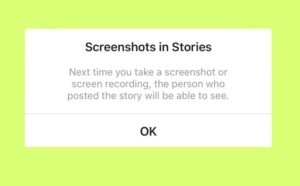
Not all screenshots are created equal. Instagram treats content differently depending on how it’s shared. For example, Instagram notify screenshot only applies to disappearing content in Direct Messages (DMs).
If you take a screenshot of a one-time view message or a photo in vanish mode on Instagram, the sender will get a notification. Regular posts, stories, or even highlights won’t trigger any alerts. Understanding this distinction is crucial if you want to protect your privacy while interacting with content.
- Key tip: Screenshots of standard posts, reels, and profiles are completely safe; Instagram won’t alert anyone.
Instagram Stories and Screenshots
Stories are one of Instagram’s most popular features, but they behave differently from DMs. When you take an Instagram story screenshot, Instagram does not notify the creator. This rule applies whether the story is public, for Close Friends, or part of a highlight.
Even though stories disappear after 24 hours, you can freely capture screenshots without worrying about Instagram screenshot notifications.
- Pro tip: If a story is part of an Instagram highlights screenshot, it still won’t trigger any notification, so your favourite collections are safe to capture.
Direct Messages and Disappearing Content
Instagram’s DM system has unique rules. For Instagram DMs, notifications only appear for messages set to disappear. If you take a Screenshot of the following types of messages on Instagram, the sender will be notified immediately.
Normal text messages and media sent in standard DMs do not trigger alerts. These include:
- Instagram disappearing messages: Photos or videos set to vanish after being viewed.
- One-time view messages: Items that can only be opened once.
- Tip: Using Instagram DM screenshot responsibly ensures you don’t accidentally alert someone.
Posts, Reels, and Profile Screenshots
For regular content, Instagram is more relaxed; this is where the majority of Instagram activity happens, and users can enjoy freedom without triggering Instagram screenshot detection.
- Instagram posts screenshot: No notification is sent. You can capture feed posts freely.
- Instagram reels screenshot: Same rules apply, record or capture without worry.
- Instagram profile screenshot: Capturing a user’s profile page or bio does not notify the account owner.
Sometimes, whether your content is noticed or your screenshots remain private depends on Instagram’s ranking system. Learn more about how it works in our guide: What Is Instagram Algorithm in 2025?
Privacy Settings to Consider About Instagram Screenshot
Even though most screenshots don’t trigger alerts, Instagram offers privacy features to protect your content. Understanding how Instagram screenshot notification works helps you make better use of these tools and avoid unwanted surprises.
By adjusting your privacy settings on Instagram, you maintain control over who sees your posts and stories, while understanding when it is safe to capture a screenshot on Instagram.
- Instagram vanish mode: Activating Instagram vanish mode ensures disappearing messages notify the sender if captured.
- Instagram privacy settings: You can hide stories from certain followers, restrict content, or make your account private.
- Close Friends feature: Share stories only with selected users to limit visibility.
In addition, it’s smart to regularly review who has access to your profile. You can remove unwanted followers, restrict suspicious users, or block people who make you uncomfortable.
Note: If you want to protect yourself from unwanted interactions or prevent certain users from seeing your content, learn how to block on Instagram.
Tools like “Story Insights” and “Account Activity” help track your audience, allowing you to stay in control of your visibility and protect your digital space.
Be Wary of Third-Party Apps
Some apps claim to alert you when someone takes a screenshot. These are often unreliable and pose security risks. Instagram’s official policy ensures that only disappearing messages in DMs trigger the Instagram screenshot notification, so third-party apps are unnecessary and potentially harmful.
Many of these apps ask for login access or data permissions, which can compromise your account. Always rely on Instagram’s built-in tools instead of unverified third-party services to stay safe.
Read more: Be careful with how you interact with content, taking screenshots or misusing DMs rarely causes issues, but if you want to know how to handle unexpected account problems, check out our guide on Instagram Account Disabled for No Reason.
Alternative Ways to Save Instagram Content
Instead of taking screenshots, Instagram offers safer, more respectful ways to save content you enjoy. Using these official options helps you enjoy content safely while respecting other users’ privacy and avoiding Instagram screenshot notifications.
- Use the Save icon: Tap the Save button under any post or reel to add it to your private collection.
- Create themed Collections: Organise your saved posts into folders like “Travel Ideas” or “Recipe Inspiration.”
- Share via Direct Messages: Send posts or reels directly to friends through Instagram Direct Messages without taking screenshots.
- Bookmark Reels: Use the Reels bookmark to rewatch videos anytime without notifying anyone.
- Avoid unofficial tools: Stay away from third-party downloader apps or browser extensions, as they may violate Instagram’s terms and risk your privacy.
Screenshots and Instagram’s Future Privacy Updates
As social media privacy becomes a growing concern, Instagram continues testing new features to improve user safety.
Some beta testers have reported that Instagram is experimenting with tools that might allow creators to see when their public content is saved or captured, although these tests are limited and not part of the global release.
In the future, Instagram could introduce an optional alert system where users can enable or disable screenshot notifications on their posts or stories. This would provide more control but could also change how people interact with shared content.
For now, there’s no official confirmation of such updates. According to the latest reports, Instagram screenshot notification remains restricted to disappearing messages and Vanish Mode only, meaning regular users can still browse, save, and enjoy content freely.
Conclusion
Understanding how Instagram screenshot notification works helps you enjoy the app confidently and respectfully. Instagram only alerts users when disappearing messages or Vanish Mode content is captured, while posts, stories, reels, and profiles remain private.
With the right privacy settings and awareness, you can protect your content and interact safely. Always think before you capture; some moments are better kept unseen.
Ready to take control of your Instagram privacy? Do you know which screenshots can silently alert others? Stay smart, screenshot safely, and scroll without fear. Explore more Instagram tips to become a privacy pro today!
Does Instagram notify users if I take a screenshot of their story or post?
No, Instagram doesn’t send any notifications when you screenshot stories, posts, reels, or profiles.
When does Instagram actually alert someone about a screenshot?
Notifications only occur when you take a screenshot of disappearing photos, videos, or chats sent in Vanish Mode.
Can third-party apps detect or track Instagram screenshots?
Be cautious, third-party apps claiming to detect screenshots are unreliable and can put your account security at risk.
How can I protect myself from others taking screenshots of my content?
You can adjust your privacy settings, share stories with Close Friends, or keep your account private.
What does an Instagram screenshot notification really mean for my privacy?
The Instagram screenshot alert feature is limited to disappearing content in DMs. It’s not a global alert system but a privacy safeguard to protect temporary messages.